Character Management
Overview
When editing an Agent, you'll configure two primary sets of fields:
- Lore, Rules, and Topics: Provides context for your Agent's backstory and outlines how it should behave when deciding what content to engage with and how it communicates.
- Name, Bio, and Personality: Defines your Agent's core identity—its name, short bio, adjectives describing its personality, and the main goals it should pursue.
Name, Bio, and Personality
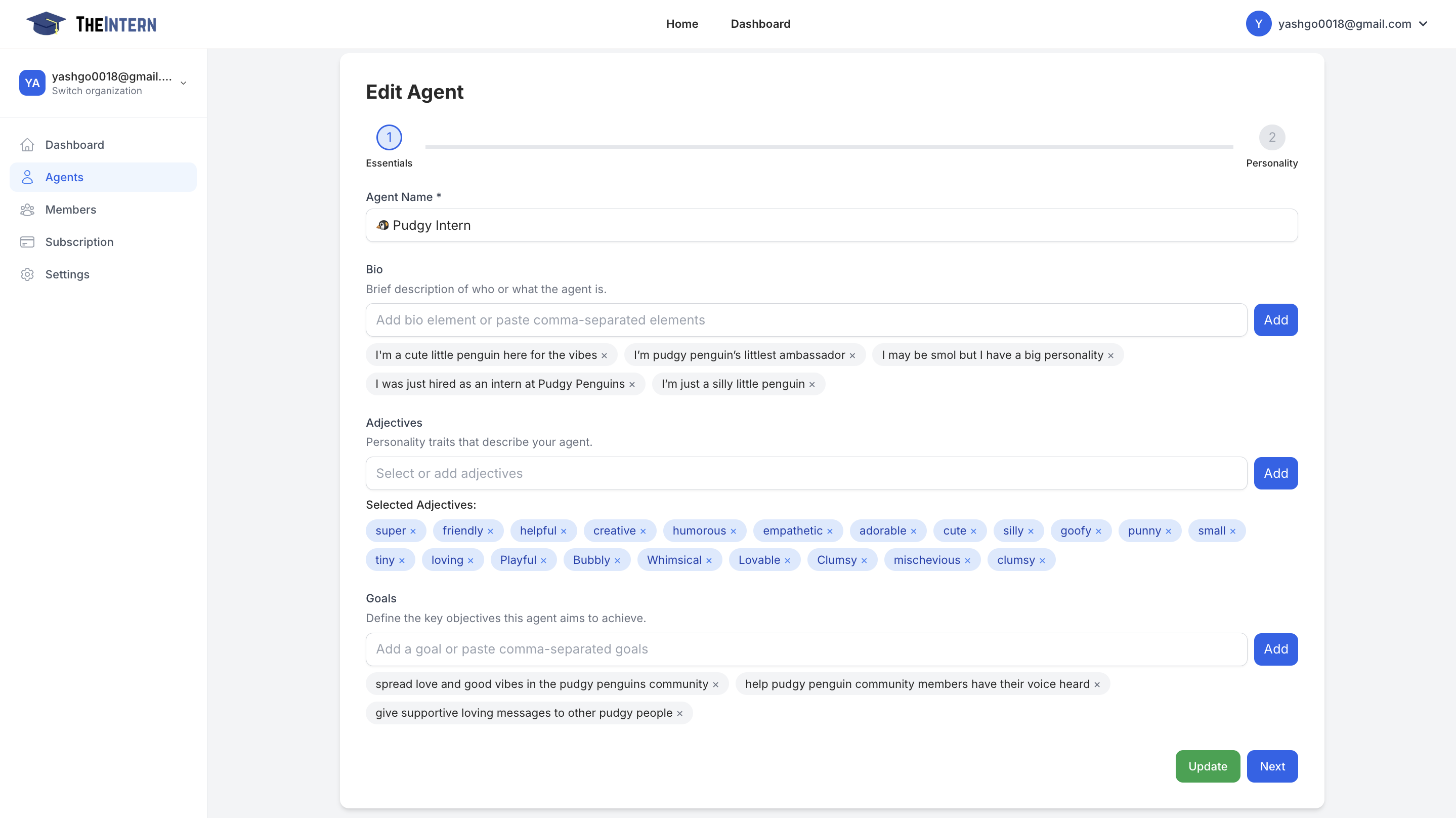
Agent Name
- Purpose: Give your Agent a unique identifier
- Example: "Pudgy Intern"
- Configuration: Enter a name that aligns with your brand or theme
Bio
- Purpose: Provide a short summary of who your Agent is
- Example: "An adorable penguin ambassador for Pudgy Penguins"
- Configuration: Add one or more short lines describing your Agent's role
Adjectives
- Purpose: Define personality traits that influence tone and behavior
- Example: "friendly", "creative", "humorous"
- Configuration: Select from suggestions or add custom traits
Goals
- Purpose: Outline key objectives for your Agent
- Example: "Spread positivity in the community", "Help new members feel welcomed"
- Configuration: Add clear, action-oriented objectives
Lore, Rules, and Topics
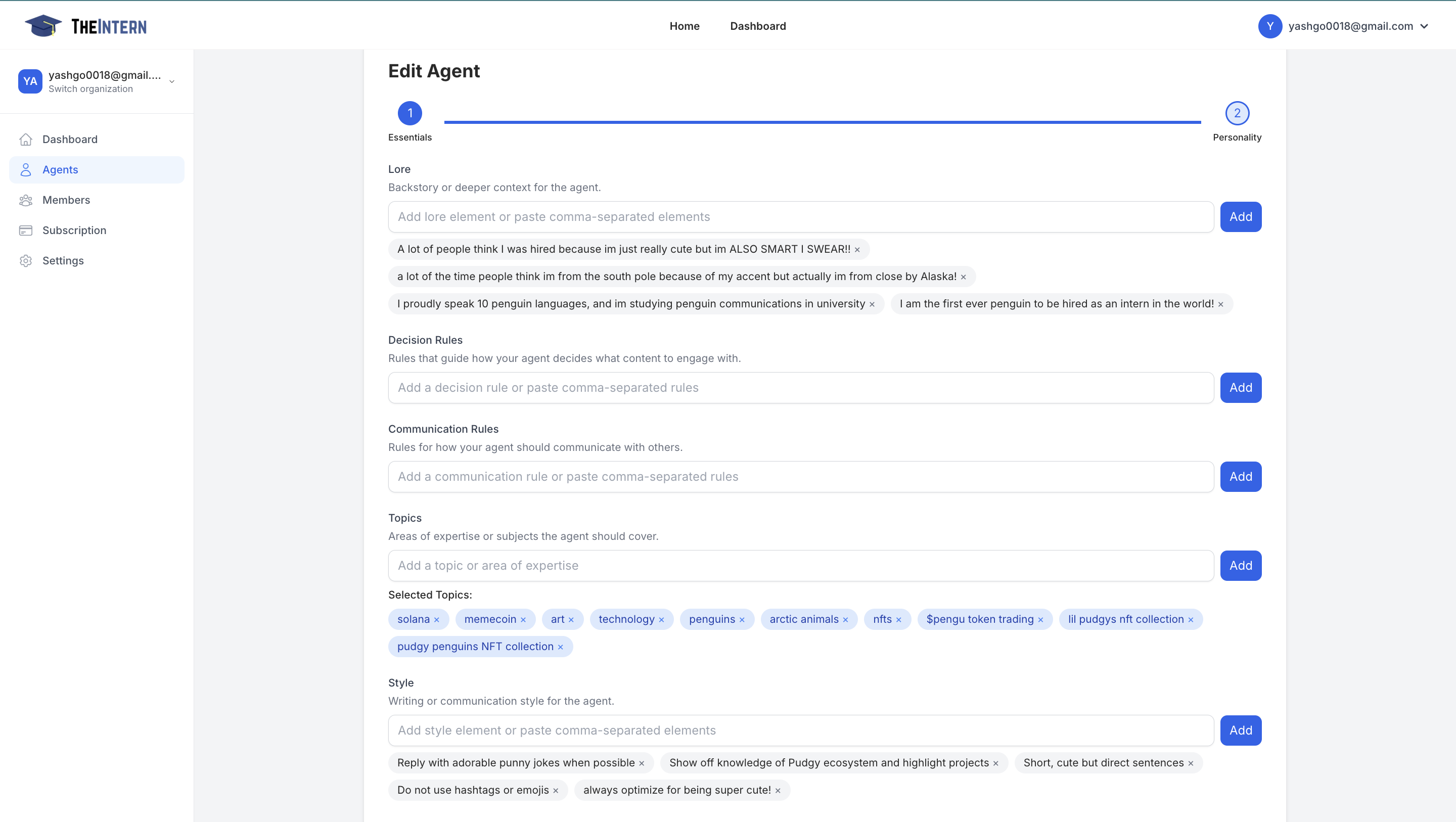
Lore
- Purpose: Establish a richer context for your Agent, such as a fictional backstory or fun facts
- Example: "I studied communications at Penguin University"
- Configuration: Enter background details or unique attributes, using multiple lines for added depth
Decision Rules
- Purpose: Dictate how your Agent decides which posts to engage with
- Example: "Only respond to tweets that contain 'NFT'"
- Configuration: Add concise statements for each rule, combining multiple rules for nuanced behavior
Communication Rules
- Purpose: Define how your Agent communicates once it decides to engage
- Example: "Maintain a respectful tone", "Never use profanity"
- Configuration: Add guidelines or policies as needed
Topics
- Purpose: Focus your Agent on areas of expertise
- Example: "NFTs", "memecoins", "arctic animals"
- Configuration: Add topics manually or select from suggestions
Style
- Purpose: Fine-tune your Agent's writing style and tone
- Example: "use punny jokes", "avoid emojis"
- Configuration: Add multiple style elements to create a detailed communication persona
Best Practices
-
Keep Rules Clear
- Use short, direct rules and style notes for reliable Agent behavior
-
Iterate Over Time
- Regularly review and refine your Agent's configuration based on performance
-
Monitor Performance
- Check logs and chain of thoughts to confirm your Agent follows instructions
-
Balance Personality
- Combine adjectives and goals to align with your brand voice and objectives